VPS Hosted K3s
For a lightweight, single-node Kubernetes setup on a VPS (Hetzner, DigitalOcean Droplet, Linode, etc.).
Prerequisites
- A VPS running Ubuntu 20.04+ or Debian 11+
- SSH access to the server
- At least 4GB RAM recommended
Setup in Canine
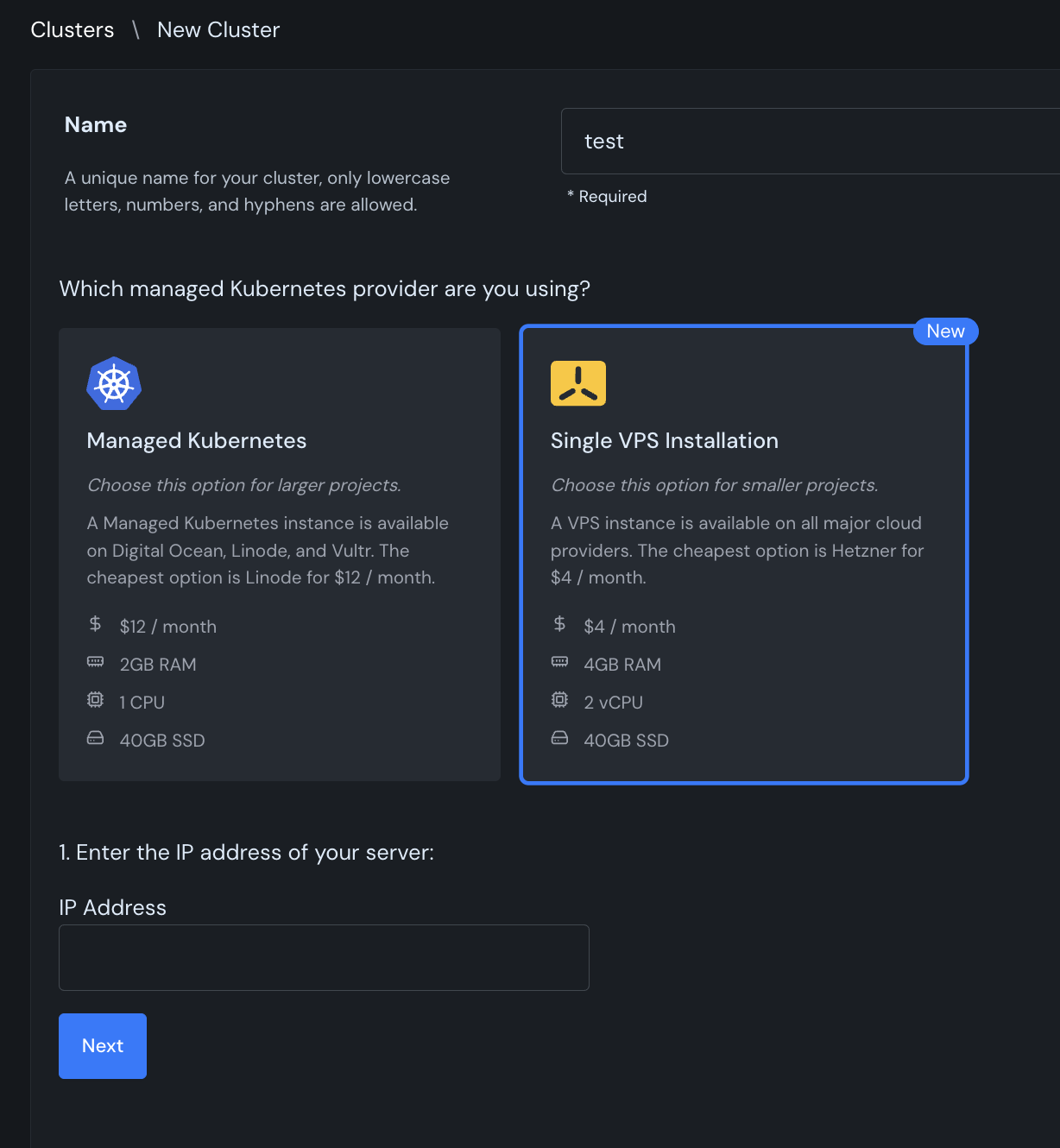
- Navigate to Clusters → + New Cluster
- Give your cluster a name
- Select Single VPS Installation
- Enter the IP address of your server
Install K3s on the VPS
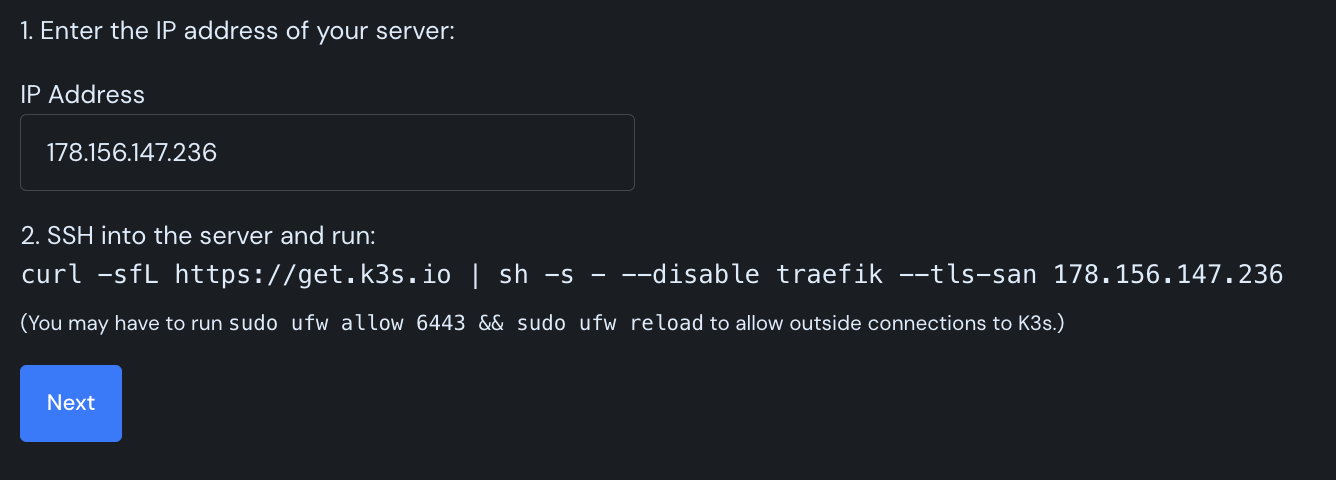
Canine will generate an install command with your server's IP address. SSH into your server and run the provided command:
curl -sfL https://get.k3s.io | sh -s - --disable traefik --tls-san <your-server-ip>
Firewall Configuration
If you have a firewall enabled, you may need to allow connections to the Kubernetes API:
sudo ufw allow 6443 && sudo ufw reload
Complete the Setup
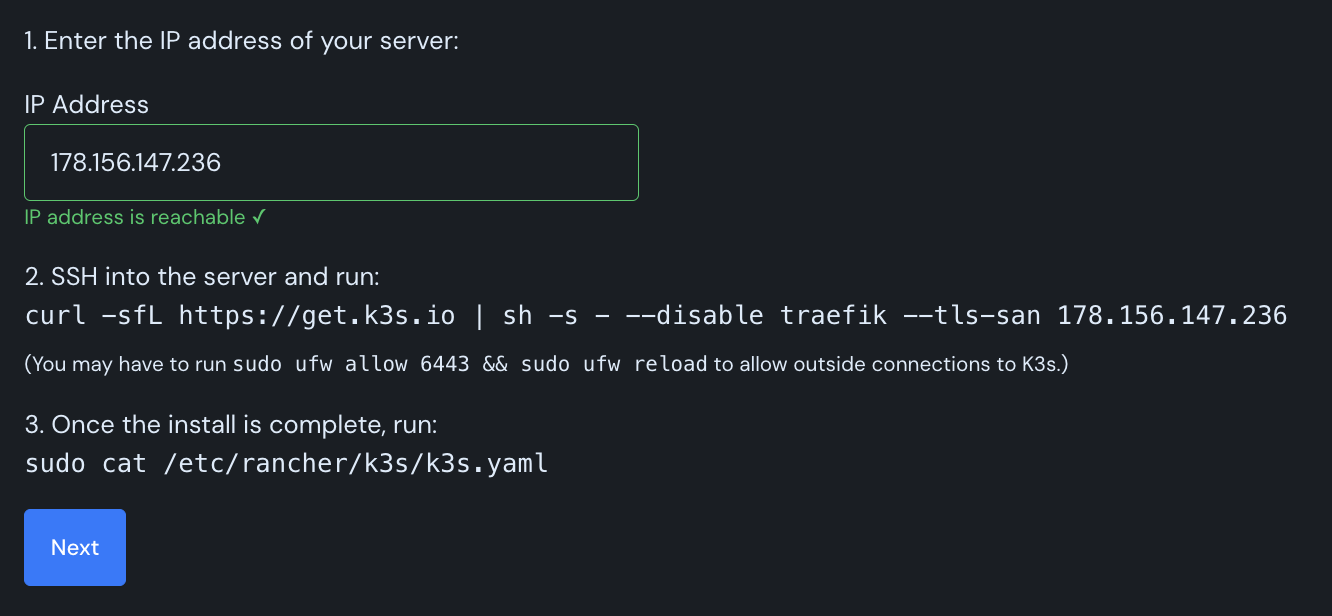
Once K3s is installed, click Next in Canine. Then copy the kubeconfig from your server:
sudo cat /etc/rancher/k3s/k3s.yaml
Paste the output into the Kubeconfig field and click Create.
Canine will install the necessary dependencies (ingress controller, cert-manager, etc.) to your cluster.